Invoice Library
Overview
How do I browse folders?
How do i download the invoices?
Overview
The Invoice Library is the interface where you can view the invoices for the last three years. You can browse through the month and select the invoices belonging to you for view or download.
The Folder List screen allows you to do the following :
Browse through the available list of folders which are arranged in the descending order of the date.
Folders are named in the format YearMonth for easy selection
Follow the steps listed to view the Invoice Library screen:
1. Click Invoice Library tab on the secondary navigation menu bar on the Solutions View home page.
2. The Invoice Library screen is displayed.
Return to top
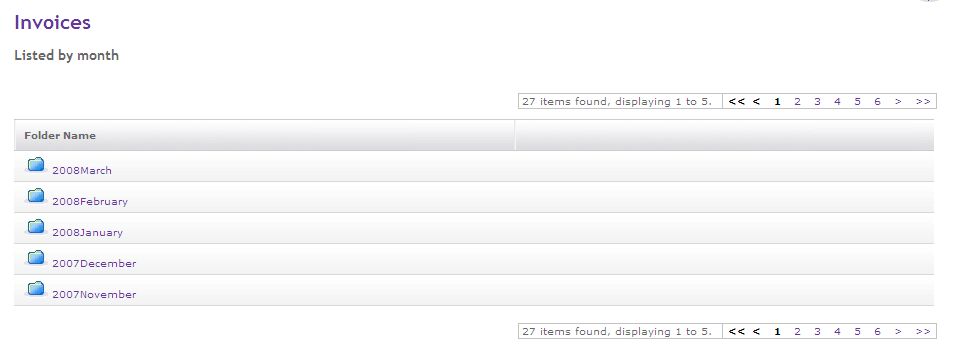
Invoices - Listed by month
The Folder List page allows you to select the month for which you would like to see the invoices.
Follow the steps listed to view the Folder List screen:
1. Click Invoice Library tab on the secondary navigation menu bar on the Solutions View home page.
2. The Invoice Library screen is displayed.
2. You can use pagination facility to select the month which is not in the current view.
3. Click on the month for which you would like to see the invoices.
Return to top
Invoice List
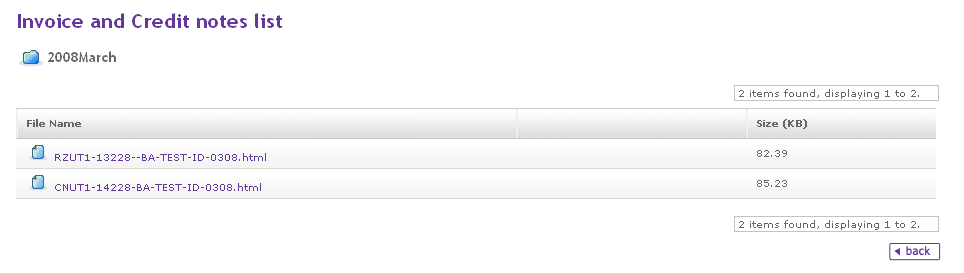
The Invoice List screen allows you to view a list of Invoices
Follow the steps listed to view or download the Invoice
1. Click Invoice Library tab on the secondary navigation menu bar on the Solutions View home page.
The Invoice Library screen is displayed.
2. You can use pagination facility to select the month which is not in the current view.
3. Click on the month for which you would like to see the invoices.
4. The Invoice List screen is displayed.
5. Click on the invoice you would like to view or download.
6. A standard file open/save dialog will appear. You can choose to Open, Save or Cancel the operation.
7. Click on the back button to go to the Invoices - Listed by month screen.
Return to top